Compress, trim, and convert
for free, in your browser.
Pick what you need to do, then add your video, photo, or recording. It’s processed on your device, so there’s no upload to wait for.
Already have the file? or drop it anywhere, then pick a tool.
Editing a whole video? Mastershot Studio is our free video editor.
Every tool
Trim video
Choose where your video starts and ends.
Compress video
Choose a quality level and compare the result.
Combine videos
Join two clips into one video.
Add audio to video
Put music or a voiceover under it.
Remove video background
Put a person on a new background, or none.
Add subtitles
Write them from the speech and burn them in.
Image converter
JPG, PNG, WebP, or ICO from any picture.
Compress image
To a size in KB, at the best quality that fits.
Audio converter
MP3, WAV, M4A, FLAC, Ogg, or an iPhone ringtone.
JFIF to JPG
Pictures saved from the web as normal JPGs.
MP4 to MP3
Just the sound from a video, as an MP3.
Compress to 10 MB
Under 10 MB, with the size checked before you save.

Trim video
Choose where your video starts and ends.
Compress video
Choose a quality level and compare the result.
Combine videos
Join two clips into one video.
Crop video
Choose an aspect ratio and crop area.
Rotate video
Turn a sideways video upright.
Flip video
Mirror it left to right, or turn it upside down.
Change aspect ratio
Make it vertical, square, or wide without cropping.
Resize video
Make it 1080p, 720p, 480p, or a custom size.
Change frame rate
Set 24, 30, 60, or a custom frame rate.
Change video speed
Speed it up or slow it down, and keep the pitch.
Reverse video
Play it backwards, with the sound reversed too.
Loop video
Repeat it a set number of times, or back and forth.
Add watermark
Put text or a logo on every frame.
Add text to video
Write on it, in any of 17 fonts, for as long as you like.
Add audio to video
Put music or a voiceover under it.
Audio to video
Turn a song or podcast into a video with a picture.
Change volume
Make it louder or quieter, without distortion.
Remove audio
Remove the audio track.
Extract a frame
Save one frame as a PNG.
Convert video
Drop a file, see its format, and choose an output. MP3 is the default.
MOV to MP4
iPhone videos that play on Windows.
MP4 to MP3
Just the sound from a video, as an MP3.
HDR to SDR
iPhone HDR video without the washed-out look.
Compress to 10 MB
Under 10 MB, with the size checked before you save.
Check compatibility
Find out why a video won’t play.
View video metadata
See the details inside your file.
Remove metadata
Clear descriptive tags and see what changed.
Image converter
JPG, PNG, WebP, or ICO from any picture.
Compress image
To a size in KB, at the best quality that fits.
Resize image
Pixels, percent, or cm; crop, turn, and mirror too.
Crop image
Square, portrait, or a custom area.
HEIC to JPG
iPhone photos that open anywhere.
WebP to PNG
Pictures from websites, transparency kept.
PNG to JPG
A smaller file that opens anywhere.
JFIF to JPG
Pictures saved from the web as normal JPGs.
JPEG to JPG
The .jpg name forms and apps ask for.
Compress to 100 KB
For forms and sites with a size limit.
Compress to 150 KB
A photo that fits a 150 KB upload limit.
Images to GIF
Photos or frames, played in order as a GIF.
Audio converter
MP3, WAV, M4A, FLAC, Ogg, or an iPhone ringtone.
Audio cutter
Keep the part of a song you want, or cut parts out.
Compress audio
A smaller MP3, M4A, or WAV, or one under a size in MB.
Increase audio volume
Make a quiet song or recording louder, without distortion.
Change audio speed
Speed up or slow down a song, with the pitch kept.
Vocal remover
Take the singing out of a song, or keep only the vocals.
Remove background noise
Take wind, hum, and room noise out from behind a voice.
Audio to text
A transcript of a recording, or SRT subtitles.
Remove silence from audio
Cut the pauses out of a recording.
M4A to MP3
Voice memos and iTunes songs that play anywhere.
WAV to MP3
Big recordings, about a tenth of the size.
MP3 to M4R
A song as an iPhone ringtone.
Audio to video
Turn a song or podcast into a video with a picture.
Video to GIF
Turn a clip into a looping GIF.
Images to GIF
Photos or frames, played in order as a GIF.
GIF to MP4
A smaller video with every frame.
Compress GIF
Same frames and timing, a smaller file.
Resize GIF
Scale every frame by a percentage or to a size.
Crop GIF
Keep a square, portrait, or custom area.
Trim GIF
Keep a stretch of the frames.
Change GIF speed
Faster or slower, with the same frames.
Reverse GIF
Play it last frame to first.
Flip GIF
Mirror it left to right or top to bottom.
Rotate GIF
Turn it right, left, or upside down.
Add text to GIF
A caption on every frame, where you put it.
Loop GIF
Set how many times it repeats, or forever.
GIF to frames
Save every frame as a PNG.
Add subtitles
Write them from the speech and burn them in.
Video to text
A transcript to copy, or SRT subtitles.
Audio to text
A transcript of a recording, or SRT subtitles.
Remove silence
Cut the pauses and the “um”s out of a talk.
Remove background noise
Take wind, hum, and room noise out from behind a voice.
Vocal remover
Take the singing out of a song, or keep only the vocals.
Remove video background
Put a person on a new background, or none.
Blur faces
Find every face and blur the ones you choose.
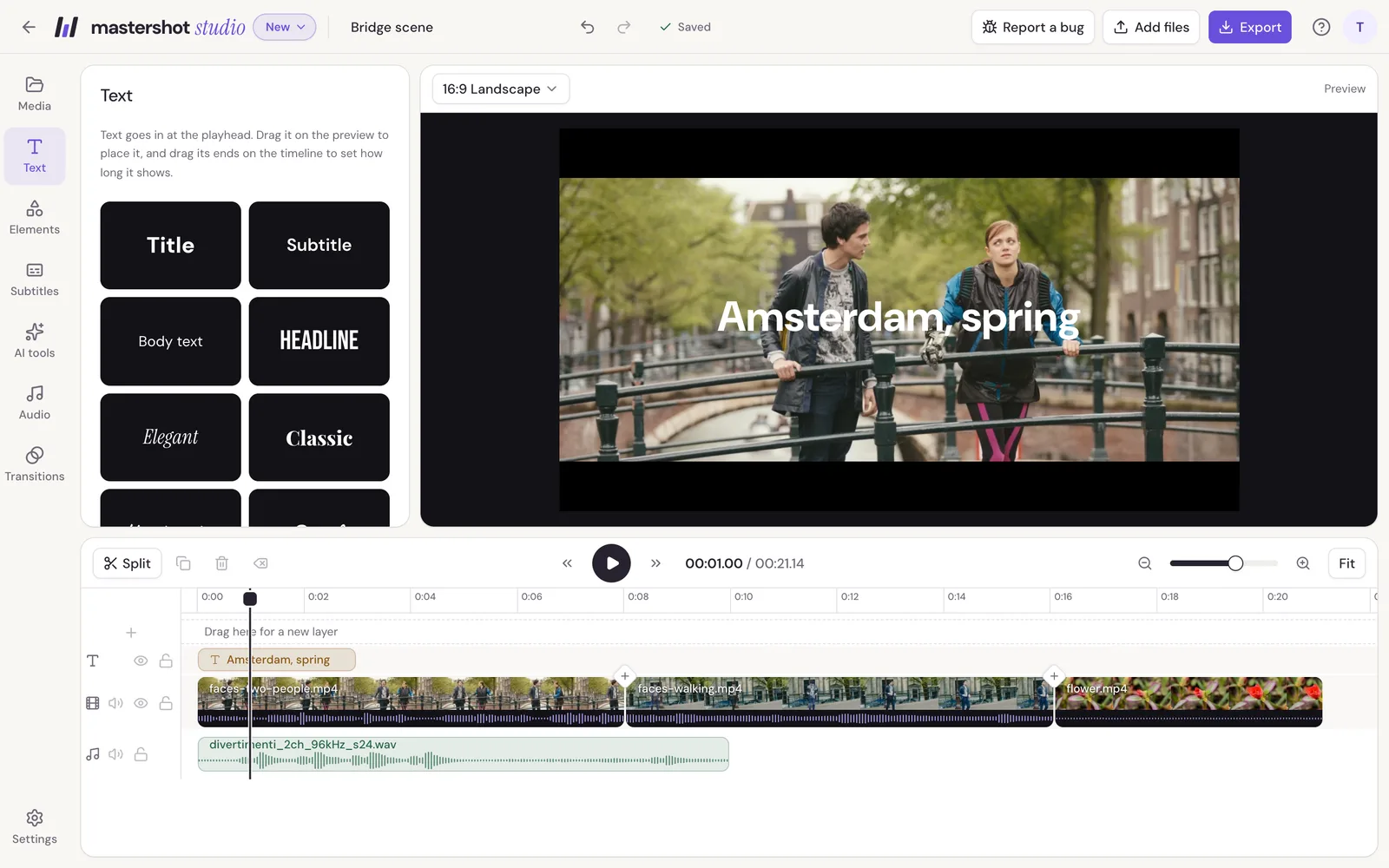
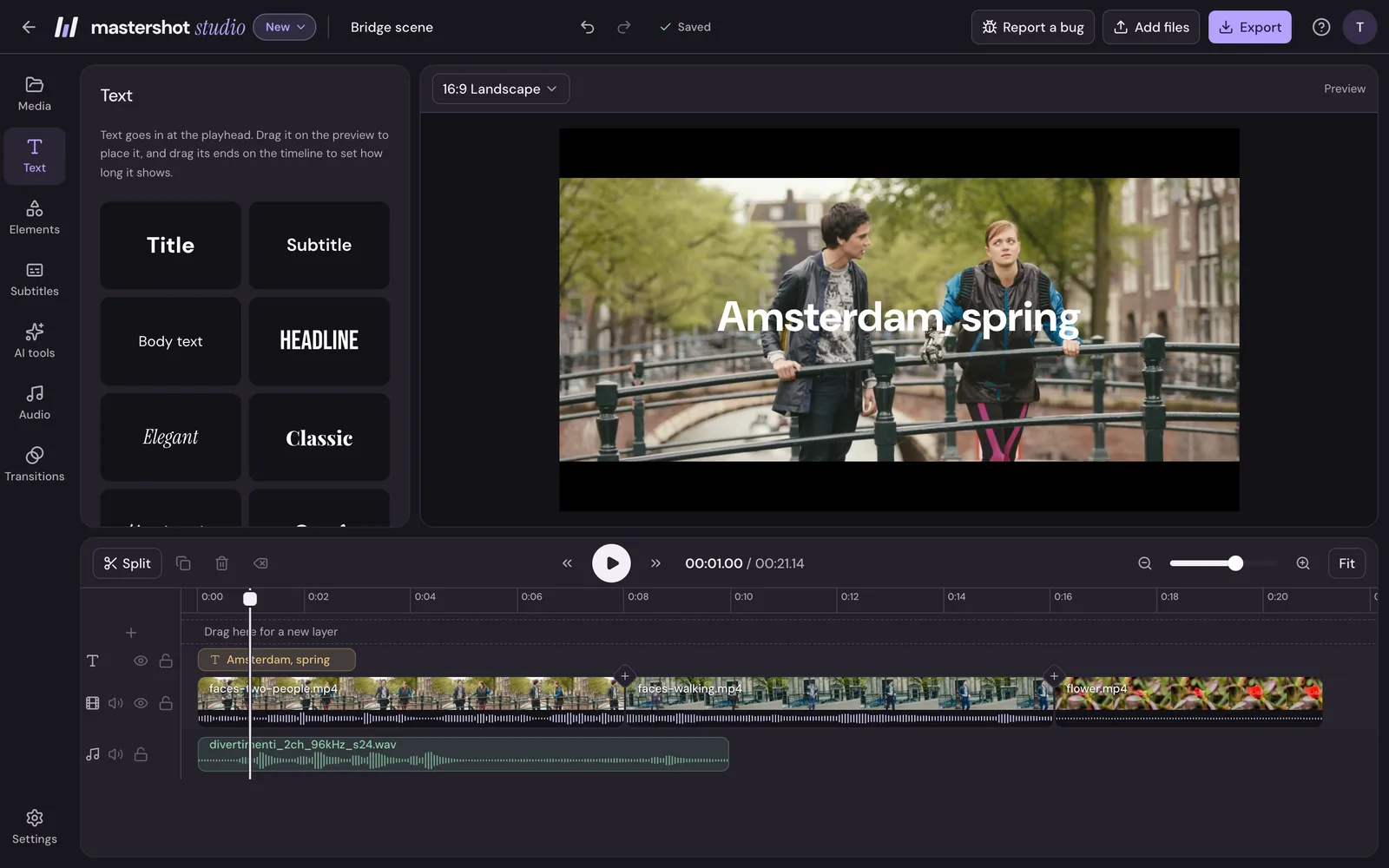
For more than one job, there’s Mastershot Studio.
A video editor in your browser: trim, combine, and add music, text, and subtitles in one project, then export once, with no watermark.
No card needed. Studio runs in Chrome, Edge, or Safari on a computer.
What people say
“There really isn’t anything else out there quite like what you’ve made.”
“This was exactly what I needed for uploading a YT video. I’m so grateful for how easy it was. Saved me so much time and energy.”
“Thanks a ton, man. Your tool was perfect for what I needed.”